Image processing built for Etsy sellers
Ratio-ready image processing for Etsy sellers turns one upload into print-ready files, mockups, a listing video, and an Etsy listing PDF, all bundled together. Spend less time wrestling with ratios and more time designing, publishing listings, and growing your shop with confidence.

Challenges we solve
Common problems that slow down your workflow — and how Ratio Ready handles each one.
Manually resizing for different print sizes
Every print-on-demand product needs a different image size. You end up opening Photoshop or Canva dozens of times per listing, resizing the same design over and over for mugs, shirts, posters, and stickers.
Creating listing mockups one at a time
Etsy buyers want to see your design on a real product. But placing each design into mockup templates by hand eats up time you could spend designing or marketing your shop.
Low-res images rejected by print partners
Printify and Printful require 300 DPI at specific pixel dimensions. Uploading an image that's too small means blurry prints, customer complaints, and wasted money on reprints.
Hours spent on image prep instead of designing
For every hour you spend creating a new design, you spend two more resizing, reformatting, and organizing files. Image prep becomes the bottleneck that limits how fast your shop grows.
Everything Etsy sellers need
One tool that handles the entire image preparation process so you can focus on creating and selling.
- Batch clipart processing for digital downloads
- 5 wall art ratios generated from one upload
- Listing preview generation with custom watermark
- PSD mockup generation for product photos
- AI upscaling to reach print resolution
- Automatic 300 DPI conversion for all outputs
- ZIP download with organized print and preview folders
- Works with Printify, Printful, Gooten, and more
- API access for Make.com and n8n automation
- No subscriptions required -- pay per image with credits
Your workflow with Ratio Ready
Upload your designs
Drag and drop up to 50 images at once. Ratio Ready validates each file and shows you exactly what will be processed, including which images need AI upscaling.
Configure your output
Choose your print size, enable listing previews with your shop watermark, set a collection name, and add SKU prefixes. The cost summary shows you exactly how many credits each batch will use.
Process in one click
Hit process and watch your images convert in real time. Each file is resized to print dimensions at 300 DPI, and preview images are generated at 72 DPI for your Etsy listings.
Download and list
Download a single ZIP file with print-ready files and listing previews organized in separate folders. Upload directly to Etsy or send to your print-on-demand partner.
When you’d use this
Four common scenarios where Ratio Ready saves the most time:
- Launching a new wall art collection. You design a botanical print in Procreate or Photoshop, save the master, and upload it once to Ratio Ready. The wall art converter outputs all 5 ratio variants (2:3, 3:4, 4:5, 11:14, ISO A2) at 300 DPI in a clean ZIP — Etsy listing-ready in under a minute, no Photoshop re-exports.
- Bundling 30 clipart pieces into a digital download set. Drop 30 transparent PNGs into the clipart processor. Each gets resized to 4096px square, stamped at 300 DPI, and bundled with optional listing previews. The whole batch finishes in a single ZIP organised into print + preview folders — replaces an evening of file prep.
- Refreshing an existing listing's mockups. Buyers ask for new in-context shots — frame variants, lifestyle scenes, mat-vs-no-mat. Upload the design once, pick a mockup set, and Ratio Ready composites it into your saved PSD templates with smart-object compositing. No manual placement, no Photoshop.
- Adding the Etsy listing PDF to your shop. Buyers love a printable summary of what's inside the digital download. Toggle the listing PDF option when processing your batch — it's bundled into the clipart, wall art, and poster prices at no extra credit cost — and the ZIP includes a styled 2-page Etsy listing PDF with thumbnail, file inventory, and recommended print sizes.
§Common mistakes
Mistakes I’ve seen (and made) that cost real time and refunds:
Uploading 72 DPI exports from Canva
Canva and Figma default to 72 DPI for screen output. The pixel count is fine, but the metadata tells the buyer's printer to interpret the file as 4× larger than intended. Use Ratio Ready's free DPI fixer or run files through any Ratio Ready tool — 300 DPI is stamped automatically.
Selling a single 8×10 file labelled 'fits all frames'
Frames come in many ratios. An 8×10 (4:5) file in an 11×14 frame loses content; in an 18×24 frame it shows visible white borders. Always offer a 5-ratio bundle and clearly label which file matches which frame size in the listing description.
Skipping mockups on listing photos
Etsy buyers want to see your design in context — on a wall, in a room, paired with furniture. Listings with 1-2 photos convert significantly worse than listings with 5+ mockups. Use Ratio Ready's mockup generator to produce a consistent visual library across every listing.
Forgetting Etsy's 20 MB digital download limit
A 24×36 print file at 300 DPI as PNG is often 80-150 MB — too big for Etsy's per-file limit. Ratio Ready outputs JPGs at 90% quality by default (visually lossless for most photographic and illustrated content) keeping file sizes well under the 20 MB ceiling.
Watermarking the print file instead of the listing preview
If a buyer pays for a 300 DPI printable and gets a watermarked file, expect a refund. Watermark belongs on listing previews (the gallery images shoppers see), not on the deliverable. Ratio Ready keeps print files clean and applies watermarks only to the preview path.
Frequently asked questions
Related guides
Print-Ready Files for Etsy
Complete Etsy file format, DPI, and listing optimization requirements.
Etsy Upload Checklist
Interactive 11-point checklist for file format, DPI, dimensions, and listing optimization.
How to Prepare Clipart for Etsy
Square ratios, transparent backgrounds, and the complete clipart bundle prep workflow.
Start selling print-ready on Etsy
75 free credits to process your first images. No credit card required.
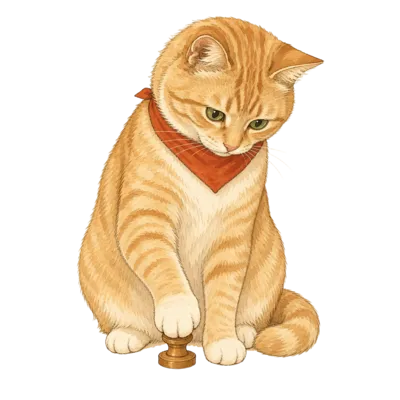
From the studio cat
Pica supervises every Etsy listing that goes through Ratio Ready. If it’s good enough for her ledger, it’s good enough to publish.