Batch-process clipart for your digital shop
Batch processing helps clipart creators organize repetitive tasks, apply shared adjustments, and prepare multiple designs while keeping creative control. Streamline routine file handling so you can spend more time refining distinctive artwork, exploring new ideas, and building cohesive collections for digital products, presentations, crafts, and other creative projects. Keep your workflow clear and flexible while producing polished artwork and listing assets ready to share.

Challenges we solve
Common problems that slow down your workflow — and how Ratio Ready handles each one.
Processing hundreds of clipart files one by one
A single clipart bundle can have 20, 50, or even 100 individual images. Opening each one in Photoshop to resize and export at the right DPI is mind-numbing work that eats entire afternoons.
Creating listing previews with watermarks
You need watermarked previews for your shop listings to prevent theft, but also clean print-ready files for buyers. Maintaining two versions of every image doubles your export time.
Ensuring consistent print quality across sets
When clipart in a bundle comes from different source files at different resolutions, the quality is inconsistent. Buyers notice when some images are sharp and others look soft at print size.
Organizing files for digital delivery
Your buyers expect a well-organized download with clear naming and separate folders. Manually renaming and sorting dozens of files for every new bundle is tedious but necessary for good reviews.
Batch clipart processing for digital shops
Upload your entire clipart set, configure once, and get print-ready files plus watermarked previews in a single organized download.
- Batch process up to 50 images at once
- Dual output: print files (300 DPI) and listing previews (72 DPI)
- Custom text watermark on preview images only
- 6 watermark positions including tiled for full coverage
- AI upscaling for images below target print size
- Transparent PNG backgrounds fully preserved
- Collection naming and SKU prefix for organized files
- Single ZIP download with print/ and preview/ folders
- Automatic retry for failed images in a batch
- REST API for automating your entire workflow
Your workflow with Ratio Ready
Upload your clipart batch
Drag and drop 1 to 50 square clipart images at once. Ratio Ready validates every file instantly, checking format, dimensions, and aspect ratio. You see thumbnails of your entire batch before processing.
Set print size and watermark
Choose your target print size (2048px or 4096px), enable listing previews, and configure your watermark text, position, and opacity. Set a collection name and SKU prefix to keep your files organized.
Process the entire batch
One click processes all images in parallel. Each file is resized to your print dimensions at 300 DPI, and a separate 72 DPI preview is generated with your watermark. Watch progress in real time per image.
Download your organized ZIP
Get a single ZIP file with your print-ready files in a print/ folder and watermarked previews in a preview/ folder. Upload print files to your digital delivery platform and previews to your shop listings.
When you’d use this
Four common scenarios where Ratio Ready saves the most time:
- Bundling a 30-piece clipart pack for Etsy. Drop 30 transparent PNGs into the clipart processor. Each gets resized to 4096px square at 300 DPI, optionally watermarked on the preview, and bundled with a listing PDF describing what's inside. The whole batch finishes in 60-90 seconds — replaces a full evening of one-at-a-time export.
- Selling commercial-license clipart sets. Commercial-license buyers expect organised deliverables: print files in one folder, preview images in another, naming conventions consistent across the bundle. Ratio Ready outputs ZIPs with print/ and preview/ subdirectories and SKU-prefixed filenames automatically.
- Refreshing an old clipart set with AI upscaling. You designed clipart years ago at 2000px and want to re-list at 4096px for higher-paying customers. Drop the old PNGs in, set target size to 4096, let AI upscaling handle the resolution gap. The transparency is preserved through the upscale (alpha-aware AI upscaling).
- Generating watermarked listing previews while keeping print files clean. Every listing photo on Etsy gets a watermark to discourage casual screenshot reuse. But buyers expect a clean unwatermarked file after purchase. Ratio Ready watermarks only the preview path, so the print file ships clean and the listing photo is protected.
§Common mistakes
Mistakes I’ve seen (and made) that cost real time and refunds:
Selling clipart as JPGs (losing transparency)
JPG cannot store transparency. Clipart with transparent backgrounds saved as JPG fills with white — making it unusable as a layered design element. Always deliver clipart as PNG. Ratio Ready preserves alpha channels through the entire pipeline.
Skipping AI upscaling on AI-generated clipart
AI image generators (Midjourney, DALL·E) typically output at 1024px or 2048px. That's enough for tiny stickers but soft on anything print-sized. AI upscaling 4× brings the file up to 4096px or 8192px — print-ready for the full Etsy clipart price range.
Mixing inconsistent dimensions across a single bundle
A 30-piece bundle where some files are 4000px and others are 2000px looks unprofessional and tells the buyer the pack wasn't curated. Process the whole bundle in one Ratio Ready batch with consistent target dimensions across every image.
Watermarking the print file delivered to the buyer
Ratio Ready's watermark setting only applies to listing-preview images. If you watermark print files manually before uploading, the buyer pays for clipart and gets watermarked unusable files. Trust the tool's split — preview gets watermark, print file ships clean.
Forgetting that PNG file sizes scale fast at 4096+
A 4096×4096 transparent PNG of detailed clipart can easily run 8-15 MB. A 30-piece bundle as ZIP can hit Etsy's 20 MB digital download limit. Either reduce target dimensions to 2048-3000px (still print-quality for typical clipart use) or split the bundle across multiple downloads.
Frequently asked questions
Related guides
How to Prepare Clipart for Etsy
Square ratios, transparent backgrounds, resolution requirements, and the complete workflow.
How to Avoid Pixelation in Printables
10-point checklist for pixel-perfect prints — resolution, scaling limits, and DPI settings.
Print on Demand Size Chart
Pixel dimensions at 300 DPI for wall art, apparel, stickers, mugs, and more.
Process your first clipart batch free
75 free credits to batch-process your clipart. No credit card required.
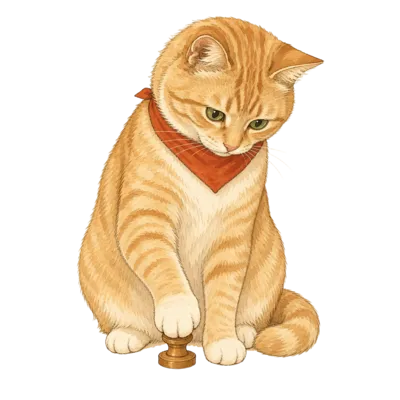
From the studio cat
Pica supervises every listing that goes through Ratio Ready. If it's good enough for her ledger, it's good enough to publish.